
Cardio Setup guide
Set Standing Desk Height for a Walking Pad
Use the belt’s step-up height and your usual keyboard position to check whether a standing desk has enough adjustment for a walking pad.
By HealthFit.ai 3 min read
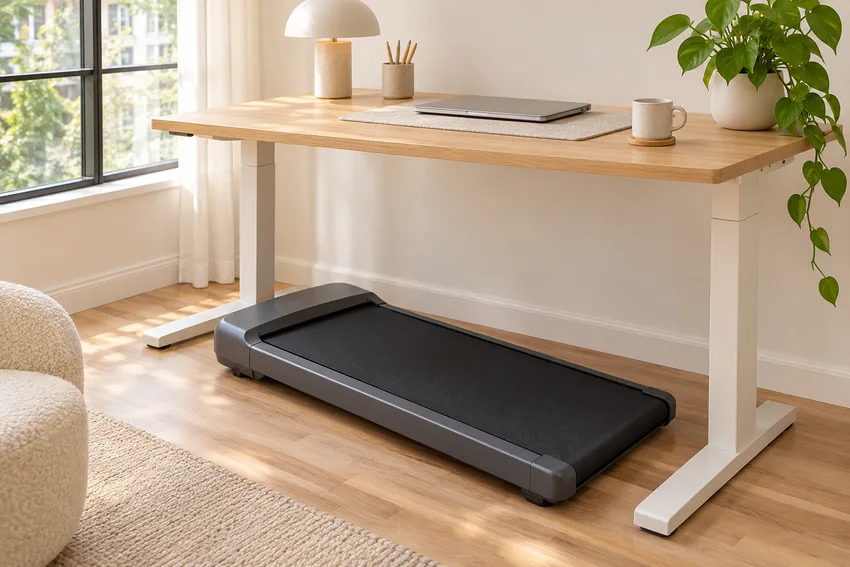
A walking pad raises both your feet and your position relative to the desktop. Before buying, compare the desk’s maximum usable height with your usual standing keyboard height plus the height of the walking surface.
Measure the keyboard position you already use
Stand at your desk with the machine out of the way, then set the keyboard where your arms feel comfortable. OSHA’s guide for computer stations suggests placing a keyboard near elbow height. Measure from floor to the top of the keys and record the height of the desk surface separately.
Then find the exact model’s step-up height. Measure the belt surface you stand on, rather than the tallest part of the motor housing. If you use a mat the manufacturer permits, include the mat’s thickness in your estimate.
Compare the adjusted height with the desk range
Suppose your keyboard is 43 inches above the floor when standing. A hypothetical belt surface 4 inches off the floor puts the starting estimate near 47 inches. If your keyboard would only reach 46 inches with the installed desk and tray, the existing setup cannot copy that position.
Compare the desk height with any item that brings the keyboard up or down, such as a tray. Check whether monitors can also move. A desk that rises far enough can still require a different monitor position than you use when sitting.
Make the switch between walking and standing simple
Check that the deck clears legs, crossbars, and controls in the position you actually use. Route the cables so they stay outside the moving deck and within their existing slack across the desk range. Confirm you can reach the stop control as directed by the manufacturer.
Set the desk height with the belt stopped before trying the arrangement. If moving between setups regularly, record a standing setting and a walking setting so you can reproduce both without changing every accessory each time.
Models to compare
Use the manufacturer details for current specifications, shipping, and return terms. How we research gear.
WalkingPad
C2 Foldable Walking Treadmill
An under-desk walking option for rooms where the stored length matters.
The deck folds across the middle. Check the required operating clearance and measure both the space under the desk and the space needed to unfold the deck.
- Folded size
- 32.5 × 20.4 × 5.4 in
- Walking area
- 47.2 × 15.7 in
- Machine weight
- 55 lb
UREVO
Strol 2E Smart Treadmill
A walking pad with a handlebar you can raise for dedicated treadmill sessions.
The handlebar folds down, so the frame still needs a long storage space. Compare the 40.2-inch belt with your stride and check clearance in each mode.
- Folded size
- 51.2 × 22.6 × 4.6 in
- Walking area
- 40.2 × 15 in
- Machine weight
- 47.2 lb
Setup checklist
- Record floor-to-keys and desk surface height in standing mode.
- Add the belt step-up height and any approved mat.
- Check desk range, monitor position, and cable reach.
- Confirm deck clearance and access to the stop control.
Common questions
Does the tallest part of a walking pad tell me how high to raise my desk?
Use the height of the walking surface for the height calculation. Use the housing dimensions separately to check if the machine fits beneath the desk.
Can I use the same preset for walking and standing?
Check both positions. A raised walking surface changes your height relative to the keyboard, so separate presets often make it easier to switch.